
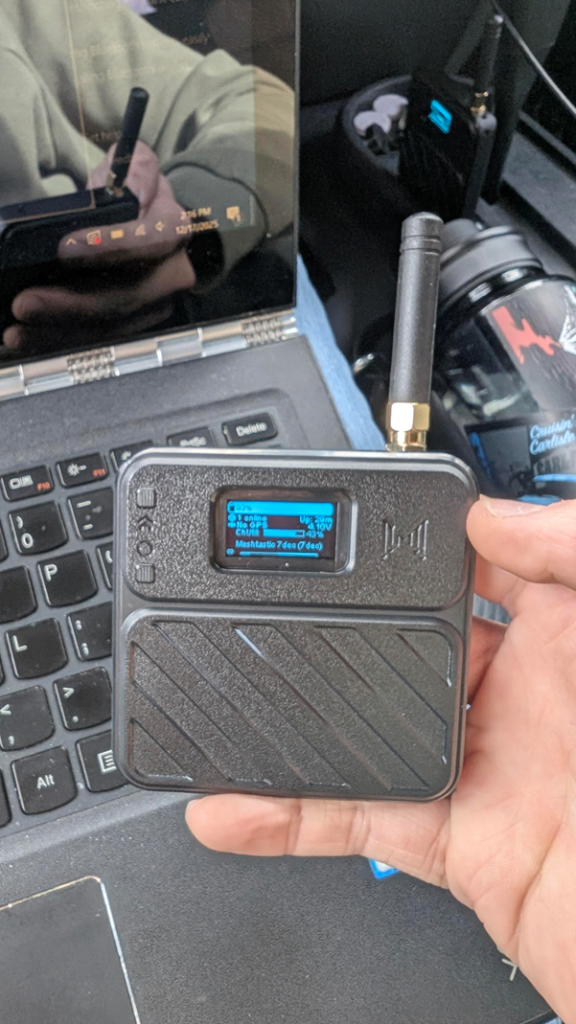
What is a mesh network? Well a mesh network is a local area network of devices called nodes. You can send information to these nodes and their connected device through flooding or routing techniques. While we wont get into the details we are going to experiment with 2 mesh nodes and test how far we can transmit data and receive data, and how fast.
General scope of my research on mesh networks
My idea for this was to see how viable a mesh network is, we aren’t aiming for communications 5-10 miles plus. After all cell towers were not put up over night. This blog represents me getting my foot in the door with mesh technology and I plan on expanding my research in future blogs however right now I am focusing on basic text based communications.
Our Two nodes
Hardware
We will be using 2 ESP32 boards with a SX1262 radio module. Both boards will have a small 3000mAh lithium battery on board for powering the Node. We will be transmitting at 30dBm.
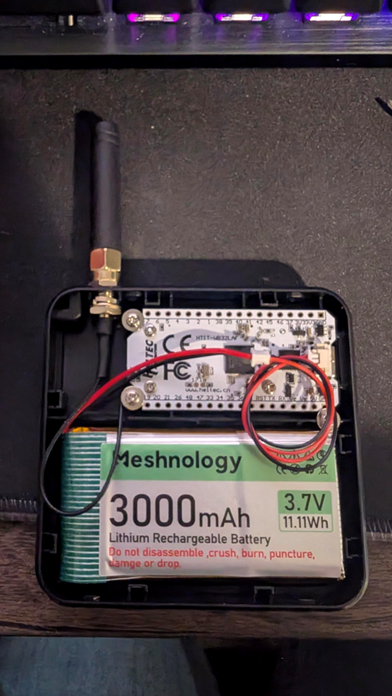
The flashing process begins at https://flasher.meshtastic.org/, Were I selected my board and downloaded the firmware too it. The whole process took about 2 minutes to complete.
Firmware
Both of our nodes will be running Meshtastic, Which transmits on 900MHz using the LoRa protocol. This allows us to send messages and telemetry to other devices connected to the mesh network. There are also android and IOS apps for Meshtastic, which makes communicating with our nodes easier.
Performance
Transmission
I will be using this transmission mode to conduct my tests.
| Radio Preset | Alt Preset Name | Data-Rate | SF / Symbols | Coding Rate | Bandwidth | Link Budget |
| Long Range / Slow | Long Slow | 0.18 kbps | 12 / 4096 | 4/8 | 125 kHz | 158.5dB |
Now there is a lot to take in here, there is a few important things we need to take into account. Starting off with the Data rate, which is 0.18 kbps second, for reference a sentence is about 0.7 kb. At that rate it will take 3 and half of a second to send.
Our coding rate means how much redundancy we encode into our transmissions to resist noise or interference. Having a higher denominator is really only necessary if your transmitting over a distance.
Our bandwidth is also a pretty important consideration, the wider it is the faster our transmissions, but this also opens us up to noise interference. On the other hand narrowing our bandwidth reduces our noise interference, increasing our range, while sacrificing speed.
Range
I decided that while I am still learning how to use metastatic and mesh networks in general, that I will only be measuring withen half a mile for my first few days of usage. There is a lot of factors that will effect our range, and the biggest one is geography. And at that range finding a line of sight for the radio wasn’t really to hard at the range, but it was a important consideration. What I am most worried about for my tests is dense vegetation. Lets conduct some short range tests under a quarter of a mile. In order to do this I needed a coat, my father to send me a message over one of the nodes, and an ATV to go to the testing location because im not walking through mud and snow melt in the dark.
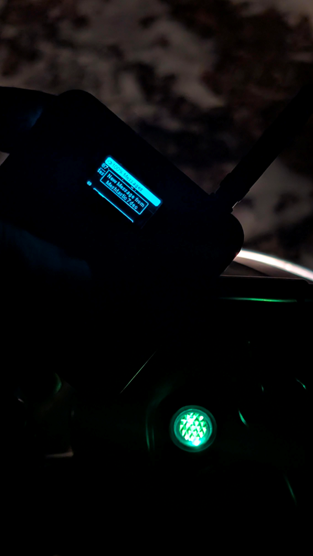
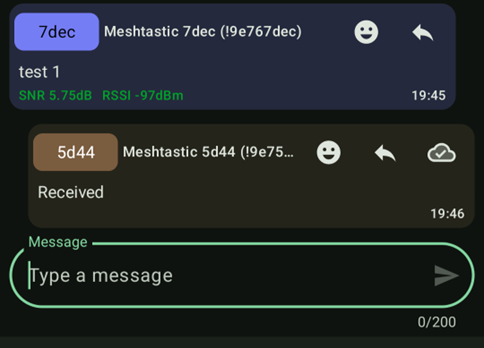
The next day I decided I would drive further out to about quarter of a mile away for my distance test.
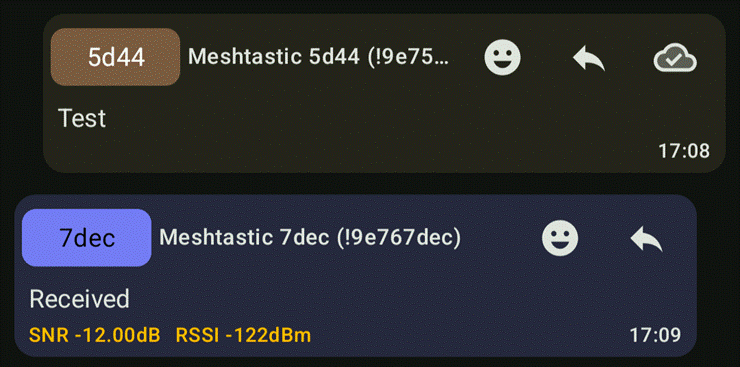
As you can see we are no longer in the range for it to be in the green and are now in the yellow. Do you remember me talking about our coding rate? Well when we start to get into the lower quality RSSI values, there may be some packet loss, but if the coding rate is high we can reconstruct missing data.
Viability
Now how viable is this for 2 way messaging? Well I think the answer depends on your use case, This defiantly has potential considering a antenna 1 inch and a half was able to reach to a quarter mile and send a message with no missing letters.
When I was reading through documentation, I noted that there was a python CLI that I could use to interact with the mesh network. If your working on creating a DIY weather station, I don’t see why you couldn’t use this to send your data to your phone or broadcast that information to other networks in the area.
I think In the next part I will attempt to maybe get a bigger antenna with a better gain and try to send weather data from one node to another on the mesh network.
Conclusion
I believe this could be a path into many new projects, and I am definitely going to further learn about this and experiment more. If you enjoyed this please check out my other blogs!